On-page SEO is everything you change on a web page itself to help Google understand it and show it to the right people: the words, the headings, the title and description that appear in search results, the images, the links between your pages and the way the page is laid out. If you run a local business, it is the part of SEO you control completely, and often the quickest way to move a page from page two of Google to page one. This guide explains what on-page SEO means in plain English, what to check on every page, and how it differs from technical and off-page SEO.
What is on-page SEO? The short answer
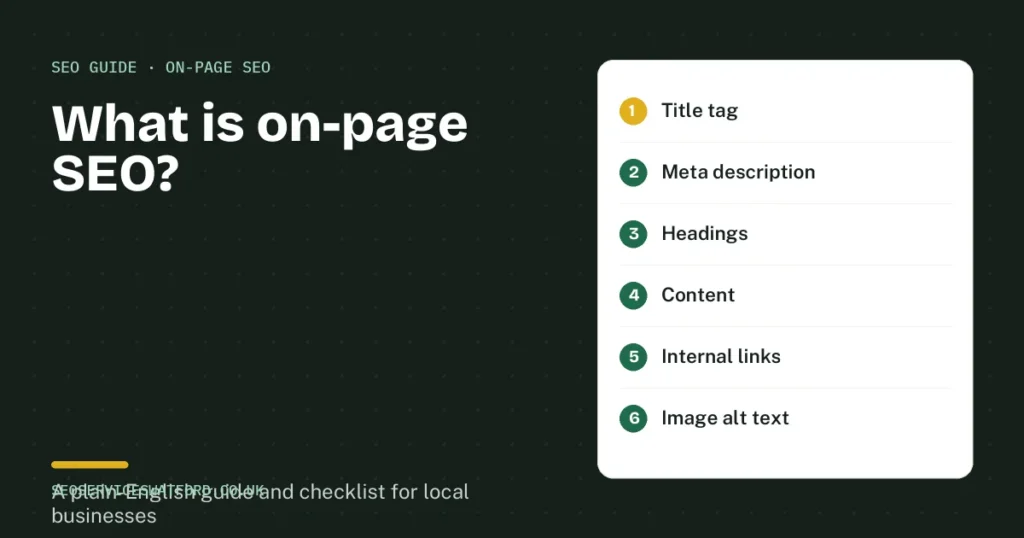
On-page SEO is the work of making each page of your website clearly relevant and genuinely useful for the searches you want to appear in. Google reads your page to decide what it is about and whether it answers the search better than your competitors. On-page SEO makes that decision easy. It covers the content people read and the parts only Google usually sees, such as the title tag, the meta description and the alt text on your images.
For a local business, good on-page SEO usually means one clear page per service and per area, written for the people who actually search, with your location, prices, proof and next step easy to find.
On-page vs technical vs off-page SEO
| Type of SEO | What it covers | Local business example |
|---|---|---|
| On-page SEO | Content, headings, titles, descriptions, images and internal links on each page | A “Boiler repair in Watford” page that answers cost, response time and areas covered |
| Technical SEO | How the whole site works: speed, mobile use, indexing, redirects and schema | Fixing a slow mobile site or pages Google cannot index |
| Off-page SEO | Signals from other websites: links, reviews, citations and mentions | Getting listed in local directories and earning reviews on Google |
All three work together. A brilliant page will struggle if Google cannot crawl it, which is where technical SEO comes in. And in competitive markets, you also need trust from other sites, which is what link building and digital PR provide. But on-page SEO is usually the first place to look, because it is quick to change and fully in your hands.
The on-page SEO checklist for every page
1. Match the search intent
Before you write anything, look at what Google already shows for your search. If the top results for “emergency electrician Watford” are service pages with a phone number, a blog post will not rank there. If the results for “how much does a rewire cost” are guides, a sales page will not either. Give people the type of page they expect.
2. Write a clear title tag
The title tag is the blue clickable headline in Google. Put the main search phrase near the start, keep it to around 50 to 60 characters so it is not cut off, and make each page’s title unique. Google’s own guidance on influencing title links asks for titles that are descriptive and concise, and warns against stuffing keywords or using the same title on many pages.
Example: Boiler Repair Watford | Same-Day Callouts | Smith Heating
3. Write a meta description that earns the click
The meta description is the short summary under the title. It does not directly change your ranking, but a clear, specific description gets more clicks. Summarise what the page offers, include the town and give a reason to choose you, such as prices, reviews or a free quote. Google explains in its snippet guidelines that it may rewrite descriptions that do not match the page, so keep it accurate.
4. Use one H1 and logical subheadings
Each page should have one main heading (H1) that says what the page is about, then H2 and H3 subheadings that break it into sections. Headings help readers skim and help Google understand the structure. Questions customers ask make great subheadings, for example “How much does boiler repair cost in Watford?”
5. Answer the question early, then go deeper
Put the direct answer in the first paragraph or two, then add detail. People on phones decide within seconds whether a page is useful. This also helps your chances of appearing in AI answers, which tend to pull clear, direct statements. Our guide on getting mentioned in Google AI Overviews covers this in more detail.
6. Include local detail that proves you are local
Name the towns, neighbourhoods and postcodes you actually serve, mention local landmarks only where they help, and show real photos of your work in the area. A page that says “we cover Watford, Bushey, Garston and WD17 to WD25, usually within 90 minutes” is far stronger than one that just says “we serve the local area”.
7. Use keywords naturally
Use the main phrase in the title, the H1 and the opening paragraph, then use related words and natural variations through the page. You do not need to hit a percentage. If a sentence sounds odd when read aloud, it has too many keywords in it.
8. Add internal links
Link related pages together with clear, descriptive link text. A boiler repair page should link to your boiler servicing page and the towns you cover, and your blog posts should link to the service they relate to. Internal links help visitors find the next step and help Google find and understand your pages. Pages with no links pointing to them are easy for Google to miss.
9. Optimise your images
Use real photos where possible, compress them so they load fast, give the file a descriptive name and add alt text that describes what the image shows. Alt text is also read aloud by screen readers, so write it for people first.
10. Make the next step obvious
On-page SEO is not only about ranking. Once someone lands on the page, your phone number, booking form or quote button should be easy to find on mobile. A page that ranks but does not convert is only doing half the job.
Common on-page SEO mistakes we see on local websites
- One page for every service. A single “Services” page cannot rank for boiler repair, bathroom fitting and leak detection at the same time. Give each main service its own page.
- Copy-and-paste town pages. Twenty pages that only swap the town name rarely rank and can drag the whole site down. Write each area page with real local detail.
- Two pages chasing the same keyword. If your home page and a service page both target “plumber Watford”, Google may not know which to show and neither ranks well. Give each page its own focus.
- Missing or duplicate titles. Titles like “Home” or the same title on every page waste the most important line Google shows.
- Thin pages. A few lines of text with no prices, process, proof or answers rarely beats a competitor’s detailed page.
How to run a quick on-page SEO audit yourself
- Open Google Search Console, go to Performance and look at the queries each page appears for. Pages with lots of impressions at positions 8 to 20 are your quickest wins.
- Search Google for your main service and town and compare your page with the top three results. What do they answer that you do not?
- Check each important page has a unique title, a clear H1, a direct answer near the top, local detail, internal links and a visible call to action.
- Check the page on your phone. If it is slow or hard to use, note it for technical fixes.
Our local SEO checklist covers the wider steps, from your Google Business Profile to reviews.
How long does on-page SEO take to work?
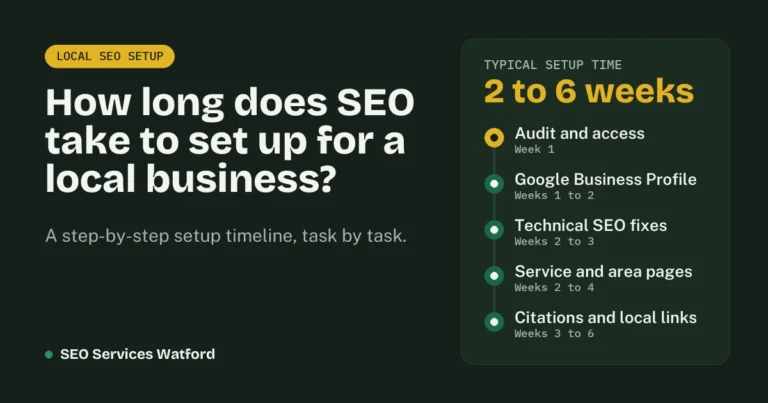
Google needs to recrawl a page before changes count, which usually takes from a few days to a few weeks. You can speed this up with the URL Inspection tool in Search Console. Pages already on page two often move within a few weeks of a good rewrite. For a full timeline, read how long local SEO takes to work.
Frequently asked questions
Is on-page SEO the same as on-site SEO?
Mostly, yes. Both terms describe work done on your own website. Some people use on-site SEO to include technical work across the whole site, while on-page SEO focuses on individual pages.
Can I do on-page SEO myself?
Yes. Writing clear titles, adding useful content and linking your pages together are realistic for most business owners. Where people usually need help is deciding which pages to create, avoiding pages that compete with each other and fixing the technical side.
What is the most important on-page SEO factor?
Matching what the searcher actually wants. A page with perfect titles and headings will still struggle if it does not answer the search better than the pages already ranking.
Do I need on-page SEO for my Google Business Profile?
Your Google Business Profile is optimised separately, but your website still matters. Google uses the page your profile links to as a signal, so a strong, relevant landing page helps your map rankings too. See our Google Business Profile optimisation service.
Want your pages checked by someone who does this every day? Our SEO content and on-page SEO service rewrites and optimises service and area pages for local businesses in Watford, Hertford and across Hertfordshire. For a full review, our SEO audit covers every page, or request a free audit and we will show you which pages to fix first.